Bring your classes on board
Enrol learners in batches, manage teachers and classes, and organise access from your school workspace.
Bring learners, classwork and examinations together. Give your teachers the tools to prepare papers, review work and see how every class is progressing.
Free school registration. Content access and school printing have separate requirements.

School owners manage the workspace. Assigned teachers work with their classes and learners.
Enrol learners in batches, manage teachers and classes, and organise access from your school workspace.
Create assignments, review submissions and written work, and see learner performance within your school and classes.
Pay one price per learner for every subject of their exam, or for the subjects you choose, for a term or the whole school year. Learners never spend school money: they can ask you for anything else, and you approve it from the school wallet, with a record of each transaction.
Open a class to see each topic’s share of answers right, hardest first, and which learners are finding it hard. Set practice on a topic in one step.
Invite parents and guardians to a private link where they read the learner reports your school releases, with optional progress updates.
For parents & guardians →Order printed textbooks and past-question collections for a class, with your school’s name on the cover, through a bulk quotation.
Visit the bookshop →Set up reusable school templates with your selected subjects, source papers, durations and additional instructions. Use them to prepare the next examination without starting from scratch.

A question paper ready for teacher review, followed by results that help explain how the class performed.
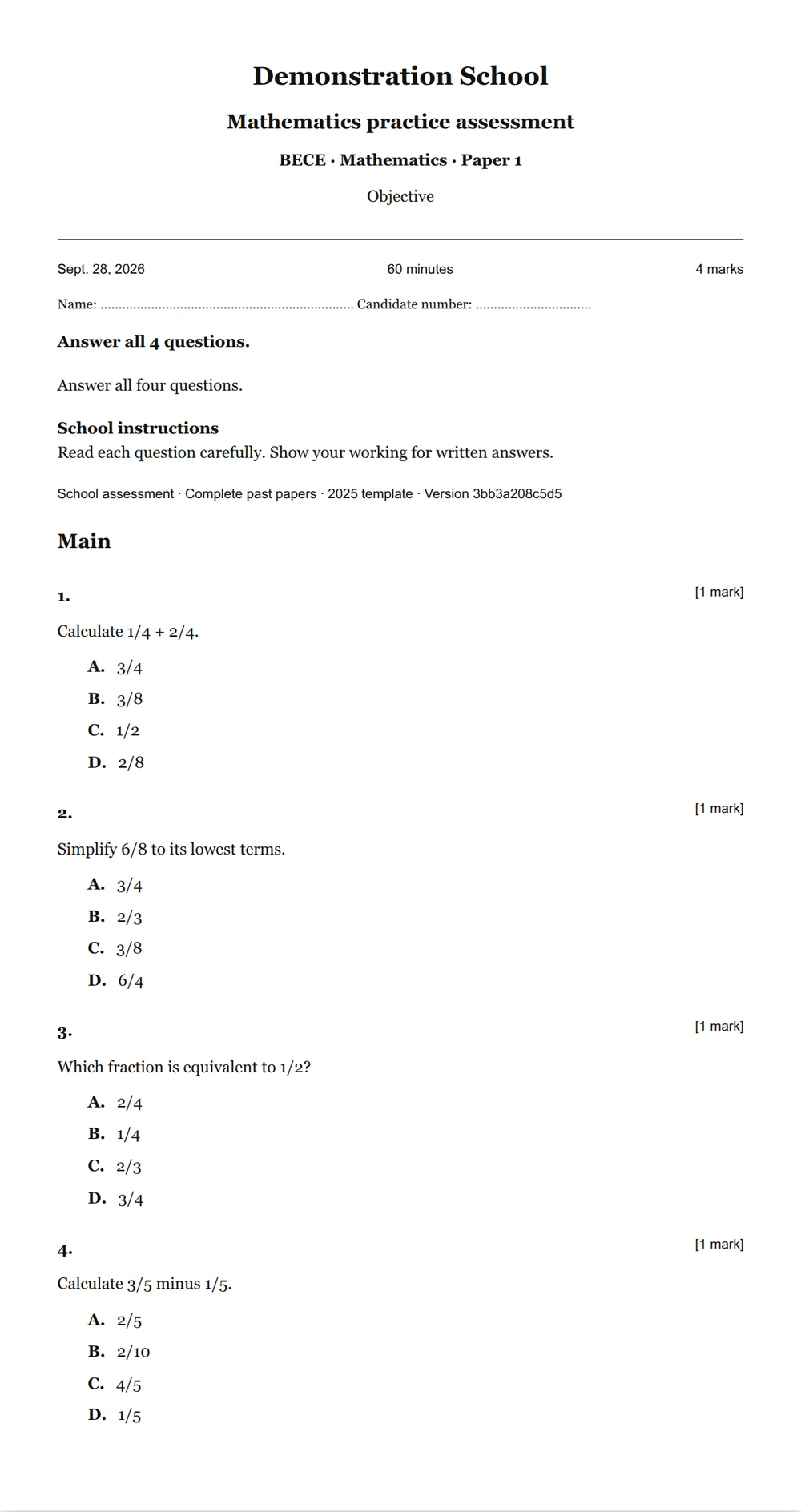
School details, examination instructions and questions brought into a printable document.
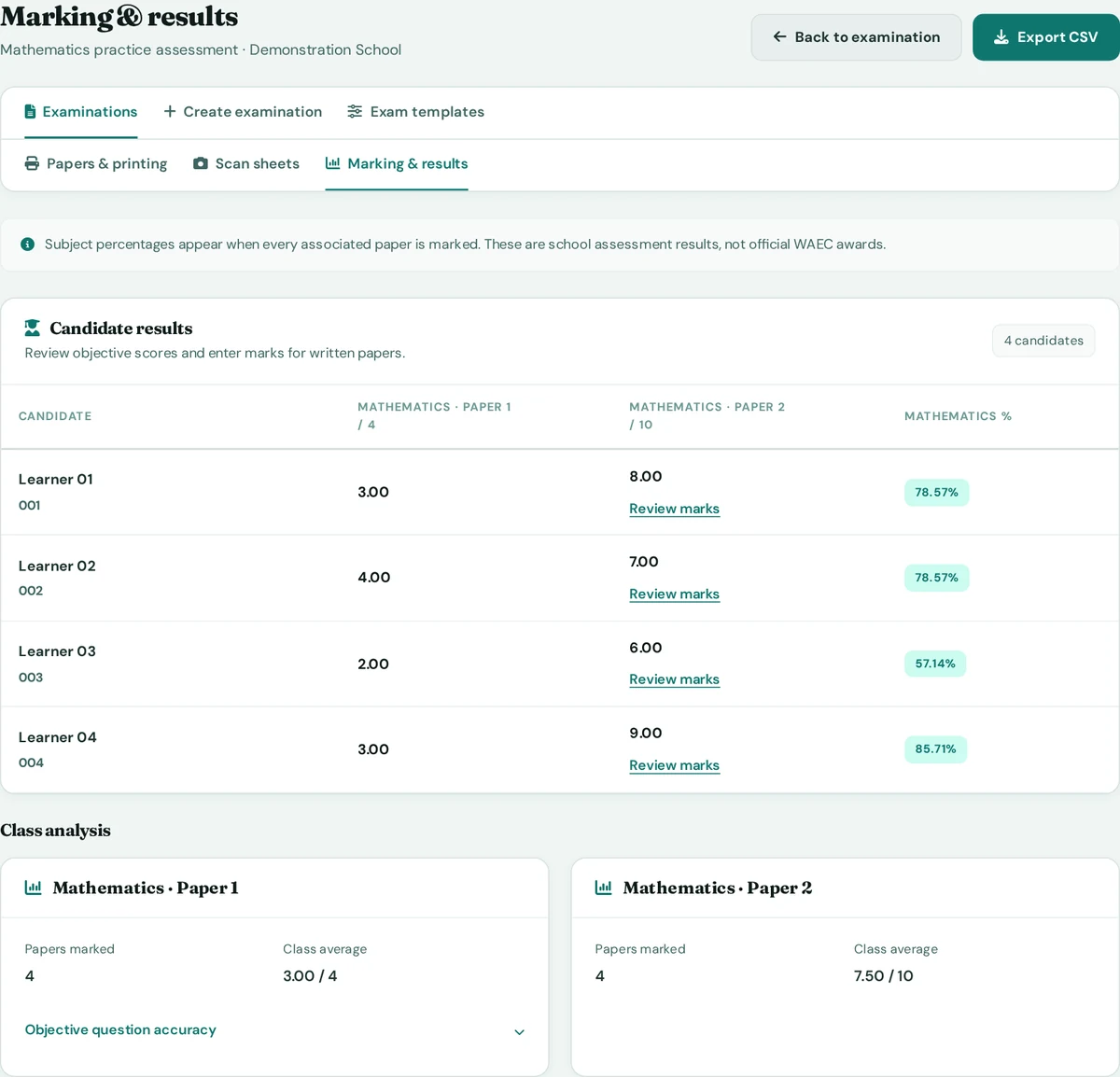
Review candidate marks, subject percentages and class averages together after marking.
Camera marking is a pilot for supported AllgiftPrep objective sheets. Teachers review the photograph and confirm every answer before marks are saved. Unclear shading can be corrected during review.
It does not read arbitrary WAEC answer cards or automatically certify results.
A platform administrator enables school printing access separately. The print and camera-marking workflow runs in the website and phone browser. Teachers check each draft against the required syllabus and examination structure.
Native Android and iOS apps support school learning tools; printing and scanning use the browser.
Run your entrance examination on AllgiftPrep: design the test from secure questions, take applications online, supervise the sitting at your school, then rank candidates and send decisions.
On screen (₵3.00 on paper). The fee is held from the school wallet when you confirm a sitting, and only candidates who actually sit are charged. Designing tests and taking applications are free.
What your school charges applicants is up to you; parents pay you directly.
Run after-school, holiday or catch-up classes online. Your school sets the content and what it charges; AllgiftPrep adds the timetable, reminders, attendance, recordings and safeguarding tools.
For up to 30 places (₵20.00 above). The fee is held when you schedule and taken from the school wallet after the class, only if a learner joined. Cancel more than 24 hours before at no cost.
Create your school account, organise your first class and decide which learning and examination tools you need.
No. School registration creates your workspace. Once your school is approved, its administrator can buy a term or year plan for school examinations from the school wallet, and plans can include AI marking requests. You can also ask about access from the help page.
Learners get a study companion in each topic lesson, and written answers can be marked against the saved marking scheme for staff review. In school examinations, named markers can ask for AI marking suggestions and confirm every mark themselves. Your school switches AI on, confirms parent or guardian consent and sets daily limits; 20 marking suggestions a day are included, and school plans or credits add more. Explore AI support.
Yes. Design the test, share an application link with parents, supervise the sitting in your computer lab or on paper, then rank, decide and send letters. You pay ₵5.00 for each candidate who sits on screen (₵3.00 on paper) from the school wallet. Find it under Admissions in your school workspace.
Yes. Your school administrator accepts the live class terms, then your teachers create classes and schedule sessions. You decide the content and what learners pay you; AllgiftPrep charges ₵10.00 for each session that runs, from the school wallet. Learn about live classes.
Assigned teachers can create examinations for their active classes when printing access is enabled. School administrators manage the reusable school templates.
Yes. Add school instructions and a logo to your examination, and set paper durations and additional instructions in your templates. Original question instructions, marks and choices are preserved.
No. These are school assessment results and preparation tools. Reports show the marks and percentages produced by the examination; they do not issue official WAEC awards.